
What is a Whitelist Setting to Prevent Corporate Information Leaks?
Tokyo Shoko Research, Ltd., a leading domestic credit research company, conducted a survey on corporate information leaks in 2021.
According to the survey results, approximately 5.75 million personal information records were leaked in 2021. The main cause was “virus infection/unauthorized access,” which accounted for approximately 4.54 million cases, or 80% of the total in 2021.
It was also announced that cyber attacks such as unauthorized access are increasing year by year, with more than seven times more incidents occurring compared to 2012, when the survey began.
Based on these survey results, companies need to learn more about security and take measures.
Therefore, companies may wonder, “We want to access and display only safe sites,” and “How much will the virus infection route and damage be?”
In this article, we will introduce what a whitelist is to prevent corporate information leaks, and the impact of virus infection routes and accessing unauthorized sites.
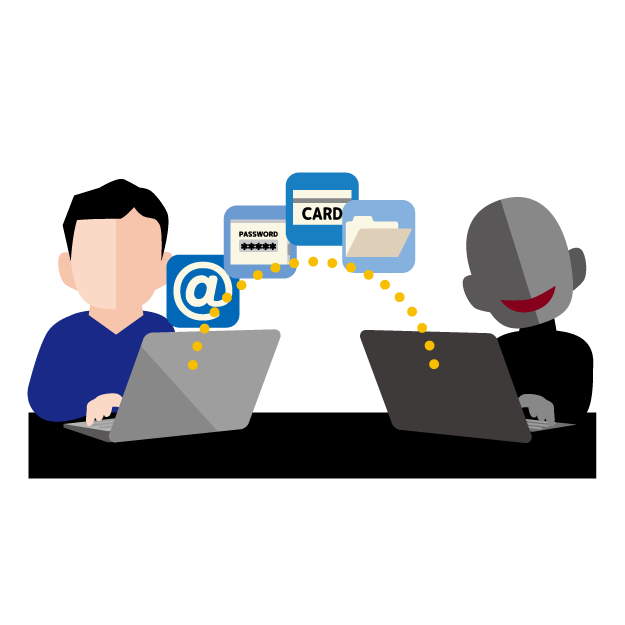
Table of Contents
- What is a Whitelist for Web Filtering?
- How Much are Virus Infection Routes and Damage?
- “Demand for Money”
- “Business Interruption”
- EXO Security with Web Filtering
- Summary
1. What is a Whitelist for Web Filtering?
First, web filtering is the process of filtering out and preventing access to inappropriate websites (adult, drug-related, and criminal) in companies that require the Internet for business purposes and schools that use it for education.
Among them, a whitelist is a list of safe websites. It allows access only to websites that are beneficial to corporate systems or education, and filters out other websites to prevent access.
Since all unapproved websites cannot be viewed, it is possible to prevent virus infection and unauthorized access from unauthorized websites, so it is strong in terms of security, but you will not be able to use the Internet to its full potential.
2. How Much are Virus Infection Routes and Damage?
You may not know how unauthorized access cyber attacks can cause virus infections, so we will introduce two famous cyber attacks.
The first is a spear phishing attack, which sends phishing emails with information related to attracting the attention of company employees, such as pretending to be new customers or business partners, and infects them with viruses from attached files or URLs containing malicious programs.
The second is a watering hole attack, which tampers with websites that employees often browse and inserts malicious code to spread viruses to the terminals that visit the website and infect them.
Both are cyber attacks targeting company employees, so let’s teach them as part of employee education!
In addition, the following contents can be cited as damage to companies infected with viruses.
2-1. “Demand for Money”
They tamper with data or change the passwords of confidential information to make it impossible to view, and then demand a ransom if you want to view or restore the data.
Even if you pay the ransom, there is no guarantee that they will do as you ask.
2-2. “Business Interruption”
By destroying or tampering with corporate systems, or leaking confidential information, the company’s reputation will be damaged, and customers and business partners will leave for other companies. It will take a long time to restore trust.
3. EXO Security with Web Filtering
Considering that cyber attacks due to virus infection and unauthorized access are increasing year by year, you cannot be assured with ordinary security software.
If you are looking for security software with a whitelist function with web filtering that we introduced here, and you don’t want to cause security incidents but want to keep costs down as much as possible,
We recommend “EXO Security”.
“EXO Security” defends against ransomware that evolves year by year, blocks sites that spread malicious code and phishing sites, and allows access only to safe sites.
It is also equipped with a web filtering function, which can block access not only to unauthorized websites but also to SNS and potentially dangerous websites, preventing unintended information leaks by employees.
Even people who are unfamiliar with IT can easily grasp internal security threats, and since there is no need for a server, there is no need for maintenance, and management is possible on the web, reducing the burden on administrators.
“EXO Security” has sufficient functions as a cyber attack countermeasure, and there are many other functions as well.
If you are interested, you can try “EXO Security” for free, so please check it out on the website!
Corporate Integrated Endpoint Security EXO Security
Summary
This time, we introduced the “whitelist for web filtering” that blocks unauthorized websites.
According to a survey by Tokyo Shoko Research, Ltd., cyber attack accidents are increasing year by year, so if a company’s reputation is damaged or it suffers a large amount of damage, it may go bankrupt.
Let’s improve security measures and security literacy before a security incident occurs.
Antivirus Security Software “EXO Security”
Click here for EXO Security usage fees
Click here for EXO Security features
Special Feature Page “Is Your Company’s PC Really Safe?”
If you have any further questions, please contact globalsupport@jiran.com.
